|
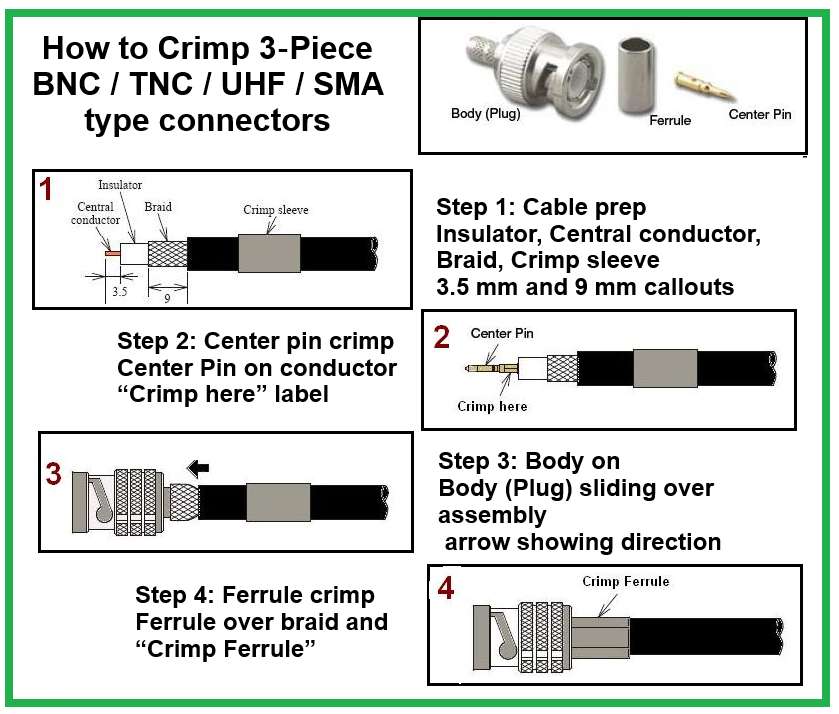
1. Strip Jacket
Remove ~1 inch of outer jacket without damaging the conductors.
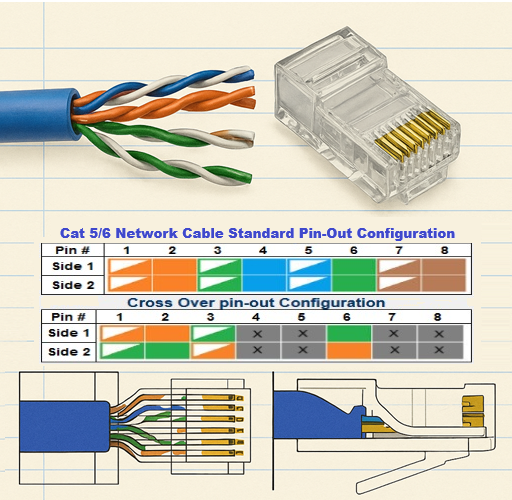
2. Untwist & Straighten Pairs
Separate the four twisted pairs and straighten all eight wires.
3. Arrange in T568B Order
Left → right: White/Orange, Orange, White/Green, Blue, White/Blue, Green, White/Brown, Brown
4. Trim Evenly
Cut all wires to equal length, leaving ~0.5 inch exposed.
5. Insert into RJ‑45 Plug
Push wires fully into the non‑pass‑through connector; ensure the jacket sits under the strain‑relief tab and gold pins face up.
6. Crimp
Place the plug in the crimp tool and squeeze firmly to seat the pins and clamp the strain relief.
|